
Getting started
Add a natural-language ask bar to a React table in about ten minutes. Everything on this page runs in the browser; no server, model or API key is needed.
Requirements
React 18 or 19 · TanStack Table v9 (optional, for the table adapter) · Node.js 22.12+ for tooling · TypeScript recommended.
Install
npm install @avinash-baraiya/pragma @tanstack/react-tablepnpm add @avinash-baraiya/pragma @tanstack/react-tableyarn add @avinash-baraiya/pragma @tanstack/react-tablebun add @avinash-baraiya/pragma @tanstack/react-tableOne package, imported by subpath (/react, /tanstack/react, /server, /providers/…). Only what you import reaches your bundle. Skip @tanstack/react-table if you render your own table.
Describe your table
The schema is the contract: users can only query the fields listed here, in the ways their type allows. aliases teach Pragma your users' words.
import { defineSchema } from '@avinash-baraiya/pragma';

export interface Customer {
  id: number;
  name: string;
  country: string;
  status: 'active' | 'churned';
  revenue: number;
  createdAt: string; // ISO date-time
}

export const customersSchema = defineSchema({
  schemaVersion: '1',
  resource: 'customers',
  fields: [
    { id: 'name', label: 'Name', type: 'string' },
    { id: 'country', label: 'Country', type: 'string', aliases: ['nation'] },
    {
      id: 'status',
      label: 'Status',
      type: 'enum',
      values: [
        { value: 'active', label: 'Active' },
        { value: 'churned', label: 'Churned', aliases: ['cancelled', 'lost'] },
      ],
    },
    { id: 'revenue', label: 'Revenue', type: 'number', format: 'currency', currency: 'USD' },
    { id: 'createdAt', label: 'Signed up', type: 'datetime', aliases: ['joined'] },
  ],
  defaults: { pageSize: 20, recencyField: 'createdAt' },
});
defineSchema validates the schema at startup (duplicate ids, alias collisions, enums without values…) and throws a clear error if something is wrong. Schema reference →
Create the engine
import { createEngine } from '@avinash-baraiya/pragma';
import { customersSchema } from './schema';

export const engine = createEngine({
  schema: customersSchema,
  timezone: Intl.DateTimeFormat().resolvedOptions().timeZone,
});
The engine parses instructions, validates them against the schema and keeps the current query. Create it once, at module level.
Add the ask bar and the table
import {
  AskBar,
  ClarificationPrompt,
  Explanation,
  Feedback,
  PragmaProvider,
  QueryChips,
  usePragma,
} from '@avinash-baraiya/pragma/react';
import { usePragmaTable } from '@avinash-baraiya/pragma/tanstack/react';
import '@avinash-baraiya/pragma/styles.css';
import { engine } from './engine';
import { customersSchema, type Customer } from './schema';

// Module level: TanStack and Pragma both rely on stable references.
const columns = [
  { accessorKey: 'name', header: 'Name' },
  { accessorKey: 'country', header: 'Country' },
  { accessorKey: 'status', header: 'Status' },
  { accessorKey: 'revenue', header: 'Revenue' },
  { accessorKey: 'createdAt', header: 'Signed up' },
];

export function CustomersPage({ rows }: { rows: Customer[] }) {
  return (
    <PragmaProvider engine={engine}>
      <AskBar />
      <ClarificationPrompt />
      <Feedback />
      <QueryChips />
      <Explanation />
      <CustomersTable rows={rows} />
    </PragmaProvider>
  );
}

function CustomersTable({ rows }: { rows: Customer[] }) {
  const { query, setQuery } = usePragma();
  const { table, rowCount } = usePragmaTable<Customer>({
    schema: customersSchema,
    query,
    onQueryChange: setQuery, // header clicks and paging flow back into the query
    data: rows,
    columns,
  });

  return (
    <table>
      <caption>{rowCount} customers</caption>
      <thead>
        {table.getHeaderGroups().map((group) => (
          <tr key={group.id}>
            {group.headers.map((header) => (
              <th key={header.id} onClick={header.column.getToggleSortingHandler()}>
                <table.FlexRender header={header} />
              </th>
            ))}
          </tr>
        ))}
      </thead>
      <tbody>
        {table.getRowModel().rows.map((row) => (
          <tr key={row.id}>
            {row.getAllCells().map((cell) => (
              <td key={cell.id}>
                <table.FlexRender cell={cell} />
              </td>
            ))}
          </tr>
        ))}
      </tbody>
    </table>
  );
}
usePragmaTable keeps TanStack Table and the query in sync both ways: typed instructions update the table, and header clicks or paging update the query.
Render it
import { createRoot } from 'react-dom/client';
import { CustomersPage } from './CustomersPage';
import type { Customer } from './schema';

const rows: Customer[] = [
  {
    id: 1,
    name: 'Aarav Shah',
    country: 'India',
    status: 'active',
    revenue: 4200,
    createdAt: '2026-09-01T10:00:00Z',
  },
  {
    id: 2,
    name: 'Emma Smith',
    country: 'US',
    status: 'churned',
    revenue: 900,
    createdAt: '2026-05-12T08:30:00Z',
  },
];

createRoot(document.getElementById('root')!).render(<CustomersPage rows={rows} />);import { CustomersPage } from './CustomersPage';
import type { Customer } from './schema';
async function loadCustomers(): Promise<Customer[]> {
return fetch('https://api.example.com/customers').then((r) => r.json());
}
export default async function Page() {
const rows = await loadCustomers();
return <CustomersPage rows={rows} />;
}Next.js App Router
Add 'use client'; as the first line of CustomersPage.tsx: it uses hooks. The page itself can stay a Server Component that loads the rows.
Check that it works
Run your app and try these in the ask bar:
| Type | You should see |
|---|---|
@ | A list of your columns with their types |
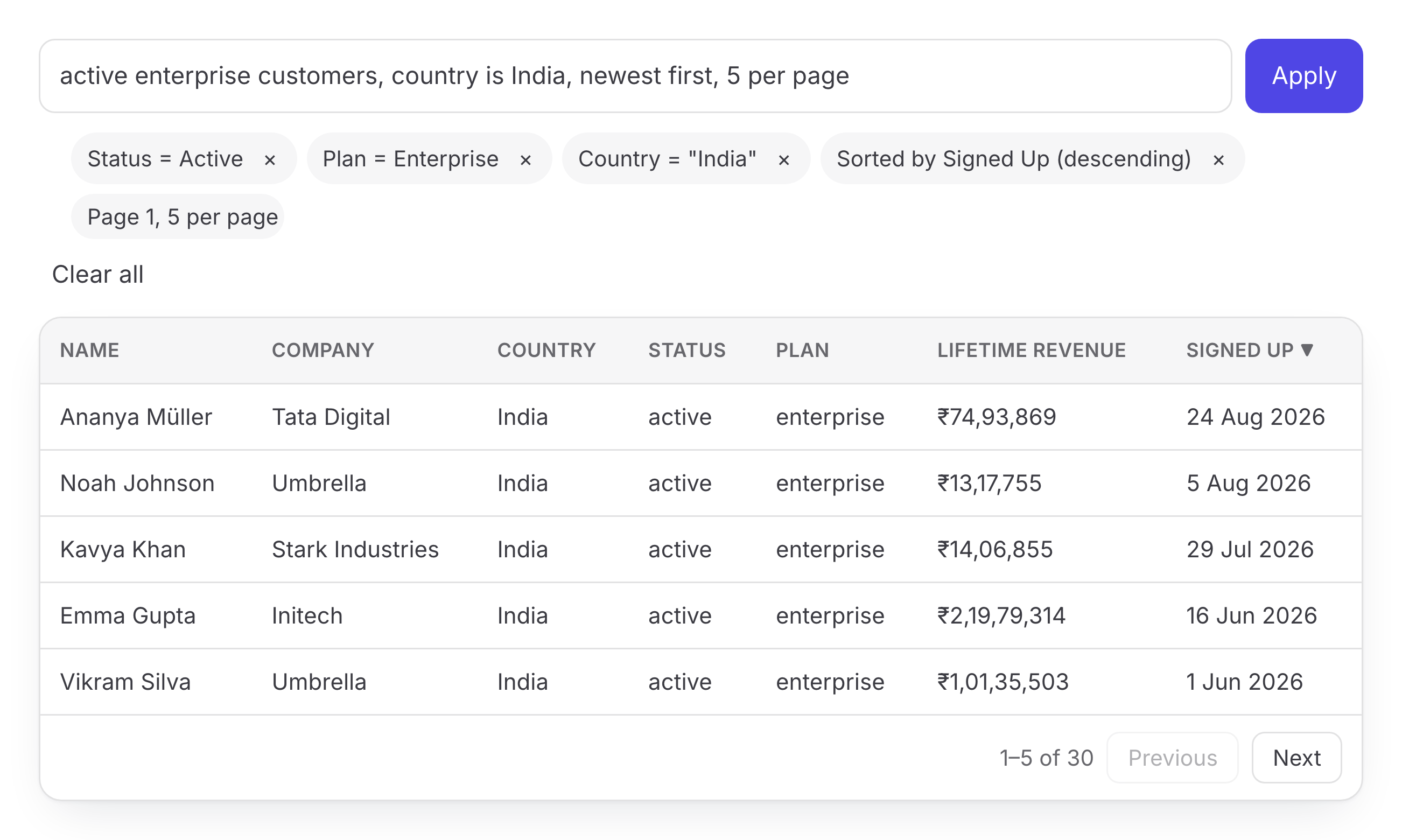
status is active, sort by revenue desc | Two chips and a sorted, filtered table |
joined in the last 30 days | A date chip; the table shows recent sign-ups |
recent customers | A question asking what "recent" means |
profitable customers | A friendly "not understood" message with suggestions |
The last one needs a model to understand free phrasing. Add a model →
Large datasets: execute on your server
For more than a few thousand rows, send the query to your API instead of filtering in the browser. usePragma().query is a plain JSON TableQuery:
const { query } = usePragma();
const res = await fetch('/api/customers/search', {
  method: 'POST',
  headers: { 'content-type': 'application/json' },
  body: JSON.stringify(query),
});import { parseTableQuery, resolveDates, validateQuery } from '@avinash-baraiya/pragma';
import { customersSchema } from './schema';
/** POST /api/customers/search — the body is the TableQuery from the browser. */
export function toDatabaseQuery(body: unknown) {
// 1. Shape check: is this a TableQuery at all?
const parsed = parseTableQuery(body);
if (!parsed.success) return { status: 400, issues: parsed.issues } as const;
// 2. Schema check: fields, operators, values, limits (never trust the client).
const { value, issues } = validateQuery(parsed.data, customersSchema);
if (!value) return { status: 422, issues } as const;
// 3. Turn "last 30 days" into absolute ranges for your database.
const query = resolveDates(value, customersSchema, {
now: Date.now(),
timezone: value.context?.timezone ?? 'UTC',
});
return { status: 200, query } as const; // translate query.filter / sort / pagination to SQL, ORM, …
}Pass mode: 'server' plus rowCount to usePragmaTable so paging uses your server's totals. Integration guide →
Troubleshooting
The table doesn't update, or re-renders forever
engine, columns and your rows array must be stable references. Define them at module level or wrap them in useMemo.
The components have no styling
Import the default styles once: import '@avinash-baraiya/pragma/styles.css'. Every component also works unstyled; theme it with CSS variables such as --pragma-accent.
"createContext only works in Client Components" (Next.js)
The file that renders PragmaProvider and uses usePragma needs 'use client'; at the top.
An instruction says it couldn't be understood
Without a model, Pragma answers only explicit instructions (field, operator, value). Rephrase it, type @ to pick a column, or connect a model for free phrasing.